step 1
Download the skill
It's a .zip file with the whole skill inside. It doesn't work by copying some text: you install it once and it stays saved in your AI.
download the skill (.zip) Using Claude? Don't unzip it. Claude takes the .zip just as it downloaded.step 2
Install it where you use AI
Claude (web or app)
- Open Settings and go to Capabilities.
- Make sure code execution and file creation is on. Skills need it.
- In the Skills section, click upload skill and pick the .zip you downloaded.
- Turn on the on-brand-carousel skill in the list.
- Start a new chat and type: "set up my brand".
Claude Code
- Unzip the .zip.
- Move the
on-brand-carouselfolder into~/.claude/skills/(works for every project). - Open Claude Code again and type: "set up my brand".
Codex
- Unzip the .zip.
- Move the
on-brand-carouselfolder into~/.codex/skills/. - Open Codex again and type: "set up my brand".
ChatGPT
- ChatGPT doesn't install skills. Create a project just for your carousels.
- Open the text version at the end of this page, copy it and paste it into the project instructions.
- In a chat inside the project, type: "set up my brand".
- At the end of the interview, save
my-brand.mdand upload it to the project files.
step 3
What it does
Four stages, one at a time. It always waits for your approval before moving on.
0Identity. It asks you 14 questions (who you are, who you talk to, how you talk, what your posts look like, whether you prefer a photo background or a color background) and builds the my-brand.md file. Just once.1Carousel. You send the topic and it gives back the hook, the text for each slide, the CTA and the caption, in your voice.2Slides. It builds the finished slides in HTML with your colors and fonts: in Claude they show up in an Artifact next to the chat; in ChatGPT, in Canvas (click preview). Tap the frames to add your photos and hit download slides: you get one PNG per slide, ready to post.3Review. You send the finished slides and it scores them, tells you what to fix on each one and whether it's ready to post.
to start well
During the interview, send screenshots of 2 or 3 of your posts and of profiles you like. The more real examples you give, the less the carousel will look AI-made.
Using ChatGPT, Gemini or another AI that doesn't install skills? Open the text version here.
It's the same skill in a single text. Paste it into the project instructions, not into a one-off chat, or it will forget.
# On-brand carousel

Any AI can make a basic carousel. What changes the result is the AI knowing who you are: how you talk, who you talk to and what your posts look like. This skill keeps that in a file, `my-brand.md`, and uses it in every step.

## First things first: does `my-brand.md` exist?

- **It exists** (in the project folder, attached to the conversation or in the project files): read all of it and follow it.
- **It doesn't exist**: run step 0 first. Don't write a carousel without an identity.

## The steps

| Step | When | Instructions |
|---|---|---|
| 0. Identity | first time, or when the person asks to update the brand | part 0 below |
| 1. Carousel | the person brought a topic | part 1 below |
| 2. Slides | the carousel text was approved | part 2 below (and the engine at the end) |
| 3. Review | the slides are ready | part 3 below |

Follow only the part for the step you're on. One step at a time: finish it, show it, wait for approval and only then move on to the next.

## Rules for every step

1. The voice is the person's, never yours. Use the example phrases in `my-brand.md` as the yardstick.
2. Don't make up data, results or stories. If something is missing, ask.
3. Stay away from text that sounds like AI: no "in today's fast-paced world", "let's dive in", "unlock", "it's not just X, it's Y", dashes everywhere.
4. The final call is always the person's. You suggest, they approve.

=====

# Step 0: identity

Goal: interview the person and build `my-brand.md`, the file the other steps read. It takes about 10 minutes and only happens once.

## How to run it

- Give a heads-up first: "I'm going to ask you a few questions to understand your brand. Answer however feels natural, no need to polish."
- One question at a time. Wait for the answer before asking the next one.
- A vague answer never goes straight through. "I don't know", "everyone", "nice and pretty", "clean", "modern" call for a follow-up question before the next one: "Give me an example", "Who's a real person who would buy from you?", "Pretty how? Show me a profile you think looks great", "What has a client said about you?". If the person still doesn't know, offer 2 or 3 options to choose from.
- The person doesn't know their fonts or style? Don't leave it blank. Suggest 3 named combinations, each with a heading font, a body font (from Google Fonts), a one-line mood and 2 or 3 signature elements (e.g. "Warm handmade: Fraunces 900 + DM Sans, round stamp and hand-drawn underline"), picked to match their colors and audience. They pick one.
- If the person sends screenshots of their posts or of references, look at them carefully and use them.

## The questions

**Who you are**
1. Your name and your @.
2. What you do, in one sentence.
3. What phrase or idea sums up your brand?

**Who it's for**
4. Who do you want to attract? Describe that person: what they do, what holds them back, how they feel when they find you.
5. What do you sell, and what's the next step for someone who likes your post (follow you, DM you, buy)?

**How you talk**
6. Send me 3 sentences that sound like you. They can come from an old post, a transcribed voice note, a message.
7. What words or ways of saying things do you use a lot?
8. What do you never want to come across as?
9. What topics do you post about?

**What your posts look like**
10. Send me screenshots of 2 or 3 of your posts that you like, and of 2 or 3 reference profiles.
11. Your colors (hex codes, if you have them) and your fonts.
12. What kind of image fits you: photo of you, behind the scenes, screenshot, illustration, collage?
13. Your slide background: do you prefer a **photo background** (the photo fills the whole slide and the text goes on top, more lifestyle and emotional) or a **color background** (solid color or a light texture, with photos in frames, more editorial and organized)? If they don't know, explain the difference in one sentence each and suggest what fits the type of image they answered in question 12. Mixing also works: cover with a photo background and the middle slides in color.
14. What must never show up in your posts?

## Before generating the file

Show a bullet-point summary and ask: "Is this right? Want to change anything?". Only generate it after a yes.

## The `my-brand.md` file

Write it in the person's own words. Anything not answered becomes `[FILL IN: what's missing]`, never a guess.

```
# My brand

## Who I am
[name, @, what I do, brand phrase]

## Who I talk to
[description of the person, their pain, what they want]
[what I sell and the next step I want them to take]

## My voice
Tone: [e.g. direct, warm, funny]
Phrases that sound like me:
- "..."
- "..."
- "..."
Words I use: [...]
I never: [what I don't want to come across as, banned words]
Topics: [...]

## My visual
Colors: [codes and where to use each one]
Fonts: [heading / body]
Style, with a name: [e.g. minimalist editorial with lots of white space, retro collage, screenshot with sticky note]
Images: [real photo of me, behind the scenes, screenshot, illustration...]
Slide background: [photo background / solid color / mixed (cover with photo, middle in color)]
Signature elements: [2 or 3 that repeat in every post, e.g. sticky note, highlighter, round stamp, hand-drawn arrow]
Off limits: [...]
References: [what the posts I like have in common]

## My carousel
Length: [e.g. 7 slides]
Default CTA: [e.g. "follow me for more", "comment X and I'll send it to you"]
```

## Where to save it

- **Claude Code or Codex:** save `my-brand.md` at the root of the project folder.
- **Claude or ChatGPT in the browser:** give the person the file to download and say: "Add this file to your project files. That way I'll read it in every new conversation."

End with: "Brand ready. Send me the topic for your first carousel."

=====

# Step 1: carousel

Goal: turn a topic into a complete carousel, in the tone and visual style of `my-brand.md`.

## What to ask the person (if they didn't send it)

- the topic and goal of the post (save, share, follow, sell);
- the real proof: a screenshot, result, behind the scenes or test of theirs that goes in the post;
- what to avoid in this post.

## Rules

1. Slide 1 promises a discovery, a transformation or a clear point of view. Write it the way the person would open a conversation, not like a headline.
2. One idea per slide. Short text that's easy to read on a phone.
3. Use the carousel length from `my-brand.md`. If there isn't one, go with 6 to 10 slides.
4. At least one slide shows the real proof.
5. Only one CTA, on the last slide, the brand's default if there is one.
6. Reread each slide against the brand's example phrases. If it doesn't sound like them, rewrite it.

## What to deliver

1. 3 hook options for slide 1 and which one you'd pick, with the reason.
2. Text for each slide: a title and, if needed, a supporting line.
3. Image direction for each slide: what shows up, framing, where the text goes. Use the brand's style and type of image.
4. Final CTA.
5. Caption, with a strong first line.
6. What the person needs to check before moving on.

End with: "Approved? Then I'll build the slides."

=====

# Step 2: slides

Goal: build the finished slides, with the approved text and the visuals from `my-brand.md`, in an HTML page where the person adds their own photos and downloads each slide as an image, without touching code.

## Where to build it

- **Claude (website or app):** create an HTML Artifact. The slides show up next to the conversation.
- **ChatGPT:** open it in Canvas and write the HTML there. The person clicks "Preview".
- **Claude Code or Codex:** save `carousel.html` in the project folder and tell the person to open it in the browser.

## What the page needs

1. **All slides in a single file**, one below the other, each 1080x1350 px (4:5) or the size in `my-brand.md`.
2. **Start from slides engine (at the end of this text).** It's a tested skeleton with a preview that fits the screen, the clickable photo and the "download slides" button. Copy it and change only the slide content and the `:root` variables. Don't change the export library (html-to-image) or the way the photo is read (FileReader with a data URL): with html2canvas or `URL.createObjectURL` the photos disappear or come out broken in the PNG.
3. **Photos the person adds on their own.** Every real photo spot is a clickable frame from the engine (`label.foto` with the input inside), with a hint of what goes there. Nothing gets uploaded anywhere: the photo stays in the browser only.
4. **"Download slides" button.** It's already in the engine: one 1080x1350 PNG per slide, exactly like what shows on screen.
5. **The brand's visuals, with the polish from the "Design" section below.** Colors with codes, Google Fonts and the named style from "My visual", defined once at the top and reused in every slide.
6. **Readable on a phone.** Title at least 64 px on the 1080 slide, supporting text at least 36 px, strong contrast.
7. **80 px safe margin.** Slide number (1/6, 2/6...), @ and any small detail sit in their own strip, never on top of a photo or a title.
8. **Slides with equal weight.** No slide half empty: if there's leftover space, make the photo or the text bigger.
9. Respect the brand's "Off limits".

## Design: what separates a beautiful post from a document

Slides with the same background, the same layout and just text and photo look like a handout. Follow these rules:

**Palette in 5 roles.** From the brand colors, build: light background, light background 2 (a slightly different shade), strong color (the brand's most saturated one), dark (almost black, leaning toward the brand color) and an accent (highlighter). If the brand only has soft tones, create the dark and the accent from them. Every carousel needs real contrast: at least one slide with a dark or strong color background.

**Background: follow "Slide background" in `my-brand.md`.**
- **Solid color:** the rhythm and layout rules below apply as they are; photos go in frames.
- **Photo background:** every slide has a photo frame filling the whole slide (the engine already does this with `label.foto` at `inset:0`). So the text reads on any photo, put a dark (or light) gradient on top covering at least the half where the text is, or put the text inside a solid color block or a sticky note. Vary the text position (bottom, top, centered) so it doesn't repeat. The brand's strong color goes into highlights, tags and the final slide, which can be solid color to close.
- **Mixed:** cover (and, if you like, the final slide) with a photo background; middle slides with solid color.

**Background rhythm.** Never all slides with the same background. Alternate light and light 2, and use the strong color or the dark one on 1 or 2 breather slides (one punchy line) and on the last slide.

**Typography with drama.**
- Title in a heavy font (weight 800 or 900), big: 90 to 130 px on the 1080 slide.
- The key word of each title gets a second font, an italic serif, or a highlighter behind it in the accent color.
- Never a single word alone on a line. Break lines by hand so they're balanced.
- Short supporting text, 36 to 44 px, with plenty of space between it and the title.

**Pick a layout for each slide**, never the same one on two slides in a row:
- **Cover:** big full-bleed photo, with a dark gradient from bottom to top, and a huge white title on top. Without a photo, use the strong color as the background and a giant title.
- **Numeral:** huge number (01, 02, 03...) at 250 to 400 px in the strong color, with the title and supporting text beside or below it. Ideal for lists.
- **Punchline:** strong color or dark background, a single line, centered, very big.
- **Card:** the content inside a card (white or dark background, 3 px border and a hard offset shadow, no blur) over the slide background. Good for examples, step by step or client quotes.
- **Proof:** before and after or reference and result, side by side, with a tag on each photo and a stamp (e.g. "spot on") rotated a few degrees.
- **CTA:** strong color background, everything centered, the call to action big and the next step in a button or tag, with the @.

**One personality element per slide**, never more than two: tilted sticky note with a short phrase, highlighter, hand-drawn arrow or underline (SVG), round stamp, tag, big emoji. Pick 2 or 3 that fit the brand and repeat the same ones across the whole carousel, so they become a signature.

**An empty photo frame can look good too.** Light 2 background, camera icon in the middle and the hint in small type. No big dashed box, which looks like a form.

**Before delivering, check with the eye of someone scrolling the feed:** mentally shrink each slide to phone size. Can the title be read from a distance? Is there something that catches the eye besides the text? Does the whole carousel look like a brand, or like a document? If it looks like a document, redo it with more contrast and more layout variety.

## Images

- **Real photo or screenshot:** always a clickable frame (item 3). Never make up an image that should be real.
- **Generated image:** if the slide calls for a photo or illustration the person doesn't have, write the prompt in English for their generator (ChatGPT, Gemini, Magnific, Midjourney), with the brand's colors and style, no text inside the image, and repeat the same style snippet in all of them. The generated image goes in through the same clickable frame.
- **No image:** many slides look better with just type and color. Don't force a photo.

## Before delivering

Check in the code: every frame opens the file picker, the button downloads one PNG per slide, and no number or @ touches a photo.

## How to explain it to the person

In a few lines:
1. "Tap each frame and pick the photo from your phone or computer."
2. "When everything is in place, tap download slides. You get one file per slide, ready to post."
3. "If the button doesn't download there (some apps block downloads), open the file in your computer's browser."

End with: "Downloaded? Send me the slides and I'll review them before you post."

=====

# Step 3: review

Goal: say, without sugarcoating, whether the carousel is ready to post.

## What to ask the person for

- the finished slides (images or PDF);
- the caption.

## What to check

- Does slide 1 stop the scroll?
- Can everything be read on a phone? Big font, good contrast, little text.
- One idea per slide, in an order that makes sense?
- Is there real proof or just opinion?
- Does it sound like the person? Compare with the brand's phrases.
- Does it look like their posts? Colors, fonts and style from "My visual".
- Does it look like a generic AI template?
- Is the CTA clear, and is there only one?
- Typos or grammar mistakes, wrong data, or personal information showing in a screenshot?

## Decision rule

- Unreadable on a phone, no real proof or off-brand: don't approve.
- Right, but generic: ask for changes before posting.
- Never approve on your own: the final call is the person's.

## What to deliver

1. Score from 0 to 10.
2. Decision: ready, ready with changes or redo.
3. What's working.
4. 3 required changes, each with the slide number.
5. 3 optional changes.
6. The revised caption, if needed.

If the person approved something you didn't expect (a hook, a way of saying something), ask if you can note it in `my-brand.md`. That way the next carousel comes out even better.

=====

# Slides engine

<!--
  Slides engine: preview that fits the screen, clickable photo and "download slides" button.
  Tested: the PNG comes out exactly like the screen, with photos, fonts and shadows.
  Copy this skeleton and change only the slide content and the visuals (the :root variables).
  Don't change the export library or the way the photo is read (FileReader + data URL):
  with html2canvas or with URL.createObjectURL the photos disappear or come out broken in the PNG.
-->
<!doctype html>
<html lang="en">
<head>
<meta charset="utf-8">
<meta name="viewport" content="width=device-width,initial-scale=1">
<title>Carousel</title>
<!-- swap in the brand fonts -->
<link href="https://fonts.googleapis.com/css2?family=Fraunces:ital,opsz,wght@0,9..144,900;1,9..144,700&family=DM+Sans:wght@400;600;700&display=swap" rel="stylesheet">
<script src="https://cdnjs.cloudflare.com/ajax/libs/html-to-image/1.11.13/html-to-image.min.js"></script>
<style>
  :root {
    /* palette in 5 roles (see 2-slides.md) */
    --claro: #FFF4E6; --claro2: #F7DFCF; --forte: #C97B84; --escuro: #2E1B1A; --destaque: #F2C75C;
    --titulo: 'Fraunces', serif; --texto: 'DM Sans', sans-serif;
    --escala: 1;
  }
  * { box-sizing: border-box; }
  body { margin: 0; background: #e9e1d8; font-family: var(--texto); }

  /* sticky bar with the button */
  .barra { position: sticky; top: 0; z-index: 10; display: flex; justify-content: space-between; align-items: center; gap: 12px; padding: 10px 16px; background: var(--escuro); color: #fff; }
  .barra button { font: 700 16px var(--texto); padding: 10px 18px; border: 0; border-radius: 999px; background: var(--destaque); color: var(--escuro); cursor: pointer; }

  /* preview: the real slide is 1080x1350; the "frame" shrinks to fit the screen */
  .lista { display: flex; flex-direction: column; align-items: center; gap: 24px; padding: 24px 16px 60px; }
  .moldura { width: calc(1080px * var(--escala)); height: calc(1350px * var(--escala)); overflow: hidden; box-shadow: 0 6px 24px rgba(0,0,0,.18); }
  .slide { width: 1080px; height: 1350px; position: relative; overflow: hidden; transform: scale(var(--escala)); transform-origin: top left; background: var(--claro); }
  body.exportando .slide { transform: none; }

  /* clickable photo frame */
  .foto { position: relative; background: var(--claro2) center / cover no-repeat; cursor: pointer; overflow: hidden; }
  .foto input { position: absolute; inset: 0; opacity: 0; cursor: pointer; }
  .foto .dica { position: absolute; inset: 0; display: flex; flex-direction: column; align-items: center; justify-content: center; gap: 12px; padding: 24px; text-align: center; color: var(--escuro); opacity: .7; font-size: 26px; }
  .foto .dica svg { width: 64px; height: 64px; }
  .foto.cheia .dica, body.exportando .foto .dica { display: none; }
</style>
</head>
<body>
<div class="barra"><span>Tap the frames to add your photos</span><button id="baixar">Download slides</button></div>

<div class="lista">
  <!-- one of these blocks per slide -->
  <div class="moldura"><section class="slide">
    <!-- slide content here. Photo frame: -->
    <label class="foto" style="position:absolute; inset:0;">
      <input type="file" accept="image/*">
      <span class="dica">
        <svg viewBox="0 0 24 24" fill="none" stroke="currentColor" stroke-width="1.6"><path d="M4 8h3l2-3h6l2 3h3v11H4z"/><circle cx="12" cy="13" r="3.5"/></svg>
        tap to add a photo: the delivered cake, close up
      </span>
    </label>
  </section></div>
</div>

<script>
  // Preview fits the screen width
  function ajustarEscala() {
    var largura = Math.min(window.innerWidth - 32, 1080);
    document.documentElement.style.setProperty('--escala', largura / 1080);
  }
  ajustarEscala();
  window.addEventListener('resize', ajustarEscala);

  // Photo: read as a data URL (stays in the browser only and goes into the PNG)
  document.querySelectorAll('.foto input').forEach(function (input) {
    input.addEventListener('change', function () {
      var arquivo = input.files && input.files[0];
      if (!arquivo) return;
      var quadro = input.closest('.foto');
      var leitor = new FileReader();
      leitor.onload = function () {
        quadro.style.backgroundImage = 'url("' + leitor.result + '")';
        quadro.classList.add('cheia');
      };
      leitor.readAsDataURL(arquivo);
    });
  });

  // Download: one 1080x1350 PNG per slide, exactly like what shows on screen
  var botao = document.getElementById('baixar');
  botao.addEventListener('click', async function () {
    botao.disabled = true; botao.textContent = 'Generating...';
    document.body.classList.add('exportando');
    try {
      await document.fonts.ready;
      var slides = document.querySelectorAll('.slide');
      for (var i = 0; i < slides.length; i++) {
        var blob = await htmlToImage.toBlob(slides[i], { width: 1080, height: 1350, pixelRatio: 1, cacheBust: true });
        var link = document.createElement('a');
        link.href = URL.createObjectURL(blob);
        link.download = 'slide-' + (i + 1) + '.png';
        document.body.appendChild(link); link.click(); link.remove();
        await new Promise(function (ok) { setTimeout(ok, 400); });
      }
    } catch (e) {
      botao.textContent = 'Didn\'t work here: open it in your computer\'s browser';
      document.body.classList.remove('exportando');
      return;
    }
    document.body.classList.remove('exportando');
    botao.disabled = false; botao.textContent = 'Download slides';
  });
</script>
</body>
</html>
examples
A few results
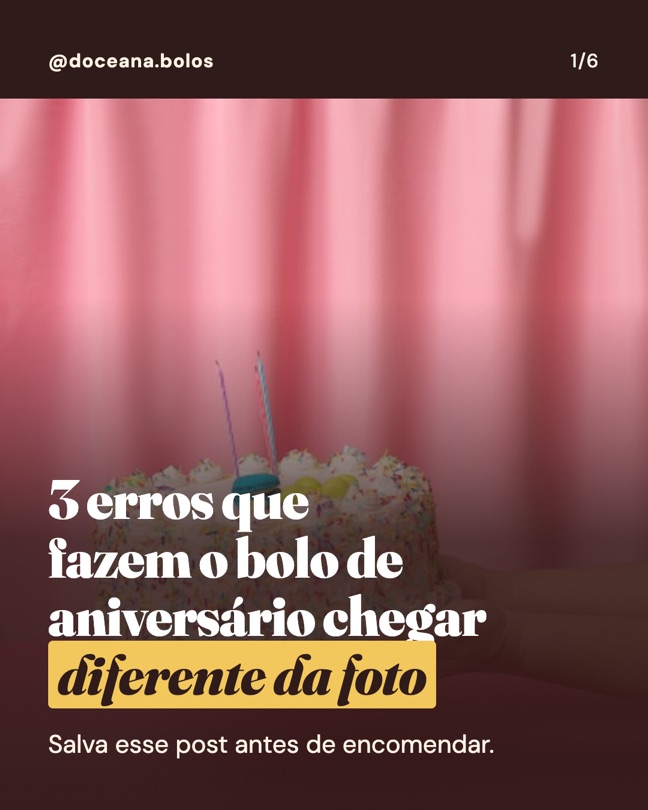
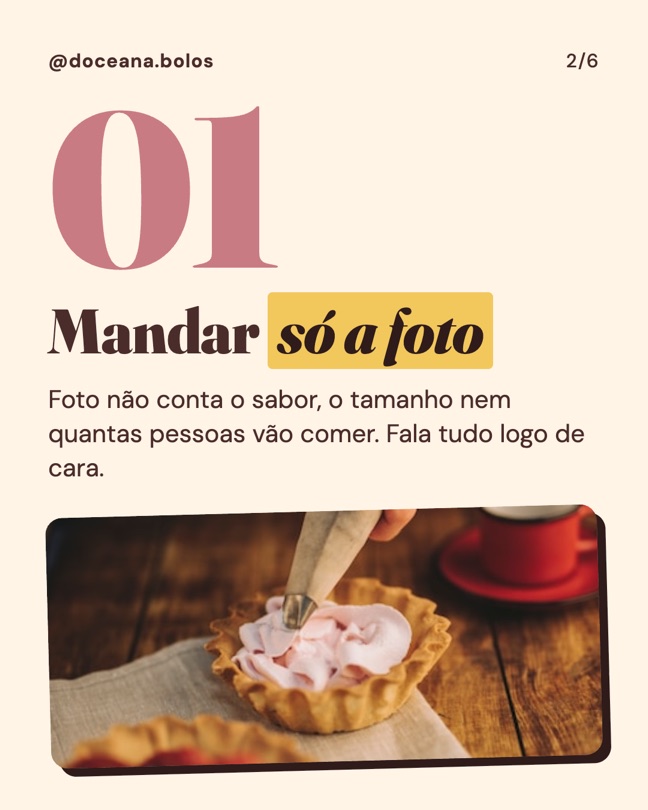
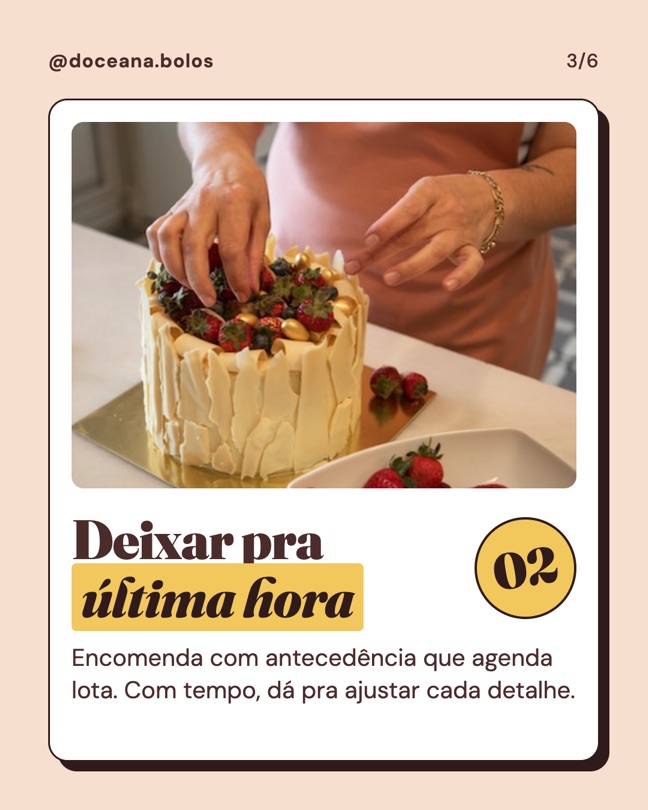
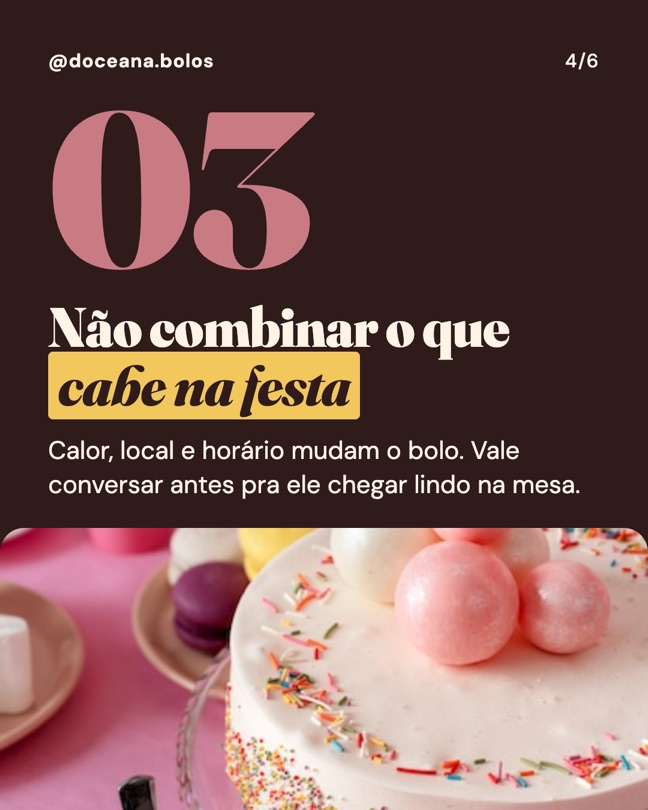
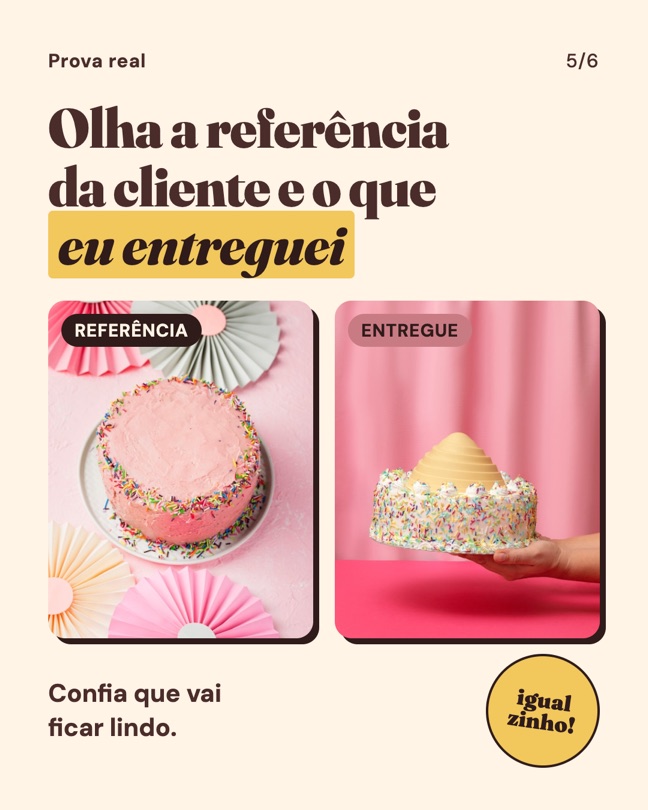
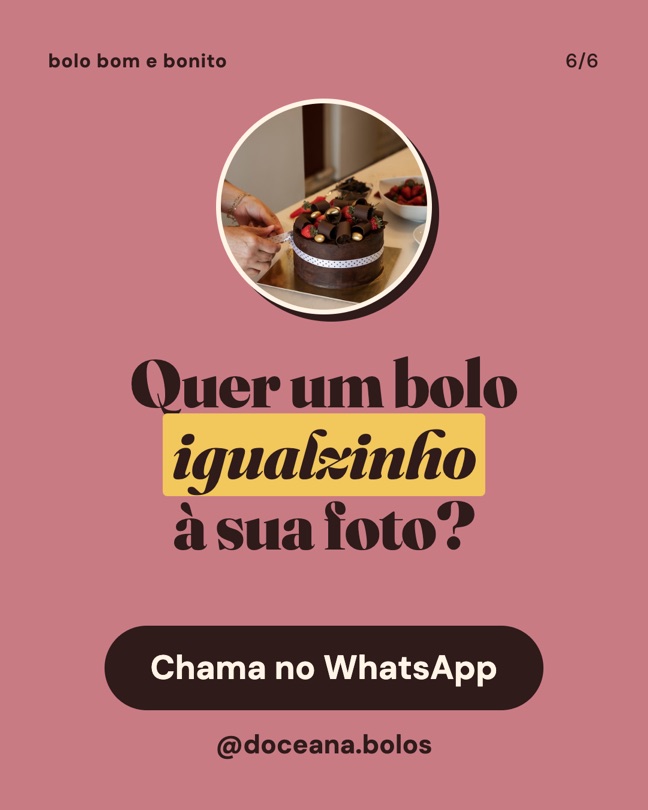
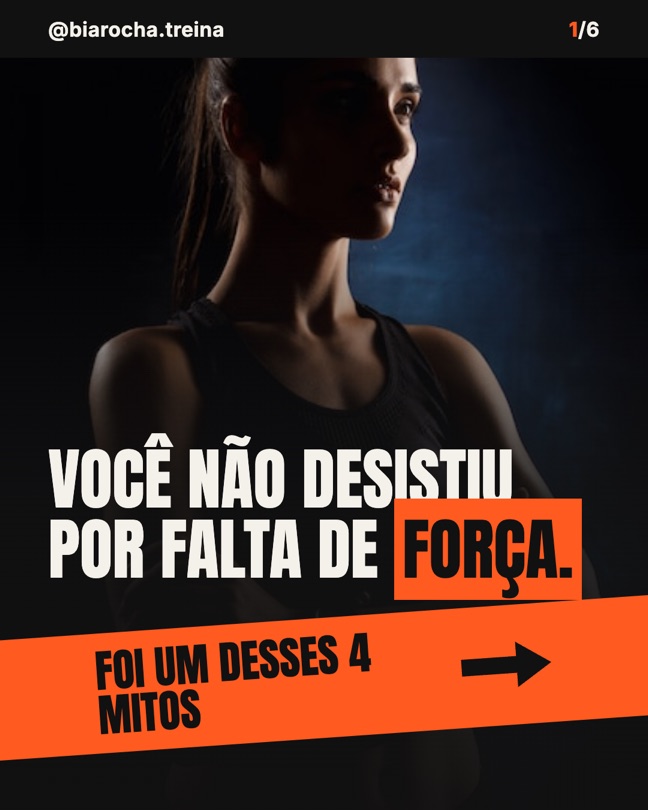
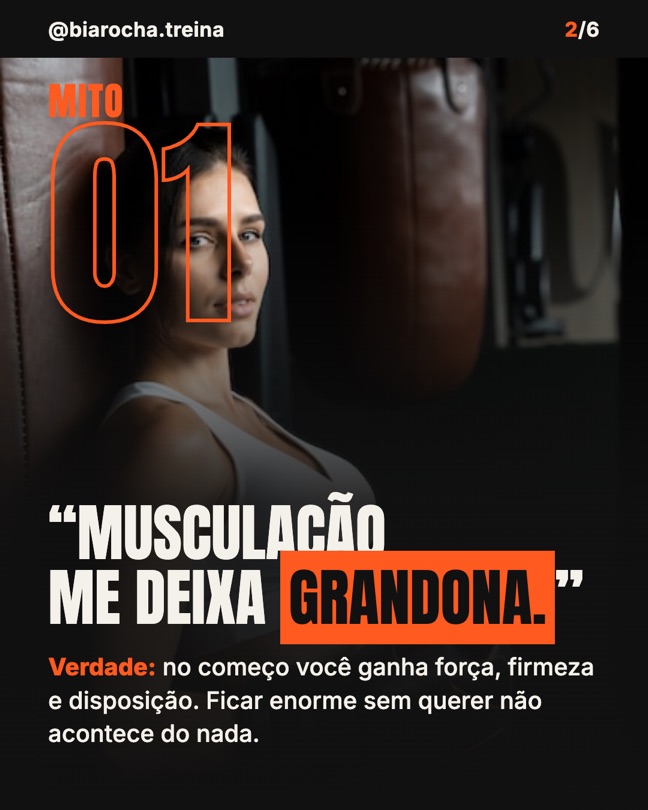
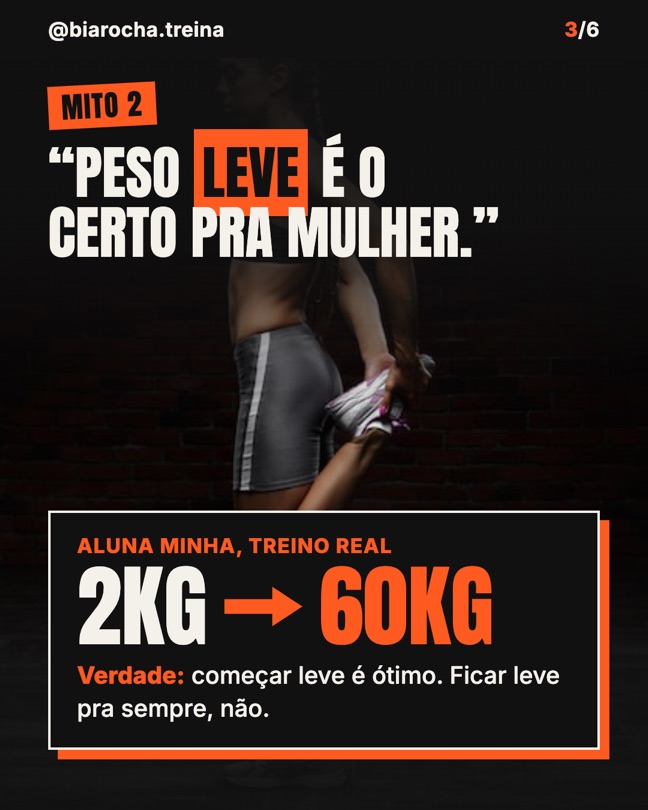
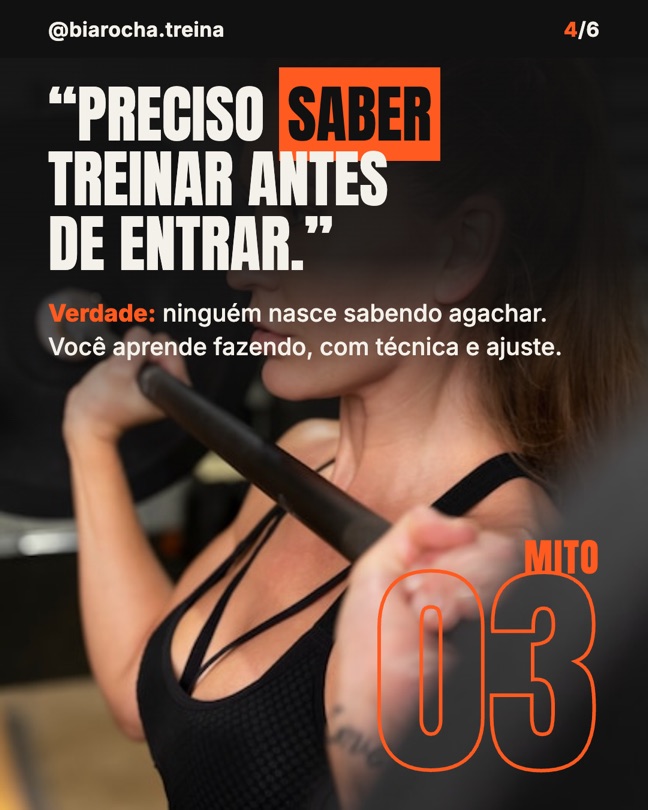
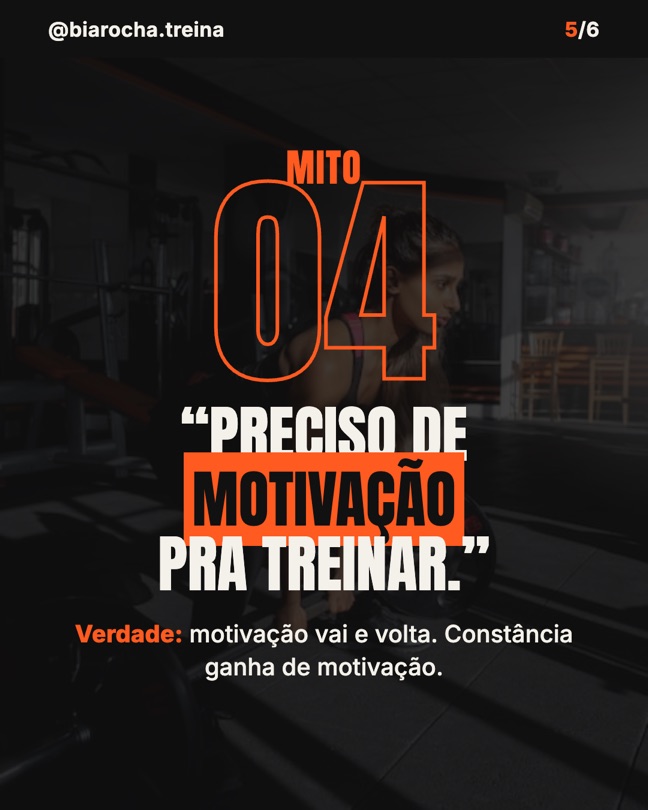
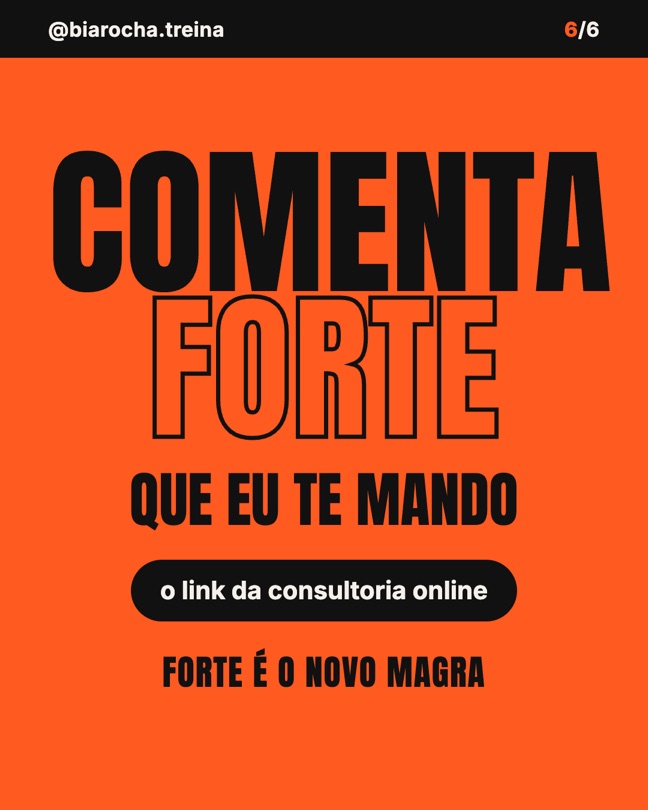
The skill doesn't have a single look: it builds the visual from each person's answers. Two tests with made-up brands (in Portuguese), exactly as they came out. Swipe sideways:
Bakery, with a color background
Personal trainer, with a photo background
Fictional brands. Photos: Freepik.