Download the skill
It's a .zip file with the whole skill inside: the rules, ready-made colors and components, and an automatic test. You install it once and it stays saved in your AI.
download the skill (.zip) Using Claude? Don't unzip it. It takes the .zip just as you downloaded it.Install it where you use AI
Claude (web or app)
- Open Settings and go to Capabilities.
- Make sure code execution and file creation is on. Skills need it.
- Under Skills, click upload skill and pick the .zip you downloaded.
- Turn on the premium-design skill in the list.
- Open a new chat and ask for your system (examples in step 3).
Claude Code
- Unzip the file.
- Move the
premium-designfolder into~/.claude/skills/(works for every project). - Restart Claude Code and ask for your system.
ChatGPT or Codex
- Create a project in ChatGPT just for this.
- Unzip the file. Open
SKILL.md, copy everything and paste it into the project instructions. - Upload what's in the
referencesandassetsfolders to the project files. - In a chat inside the project, ask for your system.
premium-design folder into ~/.codex/skills/.
How to ask
It shines in systems: scheduling, sign-up, dashboards, client areas. Ask the way you'd ask a designer:
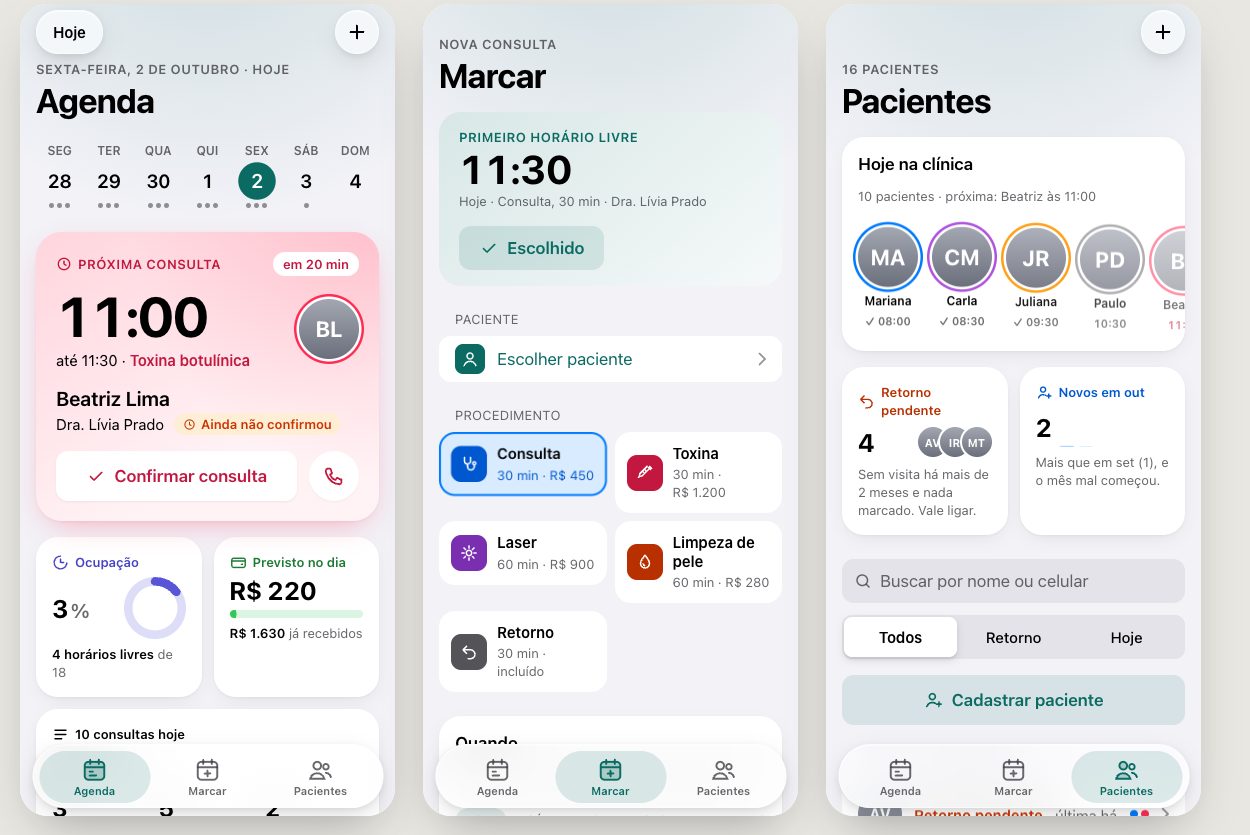
1"Build the booking system for my clinic, with today's schedule, book an appointment and a patient list."2"Review this screen with the premium-design skill and tell me what to fix." (and send the screenshot or file)3"My dashboard looks like AI made it. Redo it the Apple way."Apple's rules for color, type, navigation, buttons, forms, states (empty, loading, error), dark mode and accessibility, already translated to HTML and CSS. A visual layer with the look of 2026 apps (glass, color by meaning, numbers in the spotlight). And a test that takes screenshots on phone and desktop and flags poor contrast, small buttons and clipped text.
The same request, with and without the skill
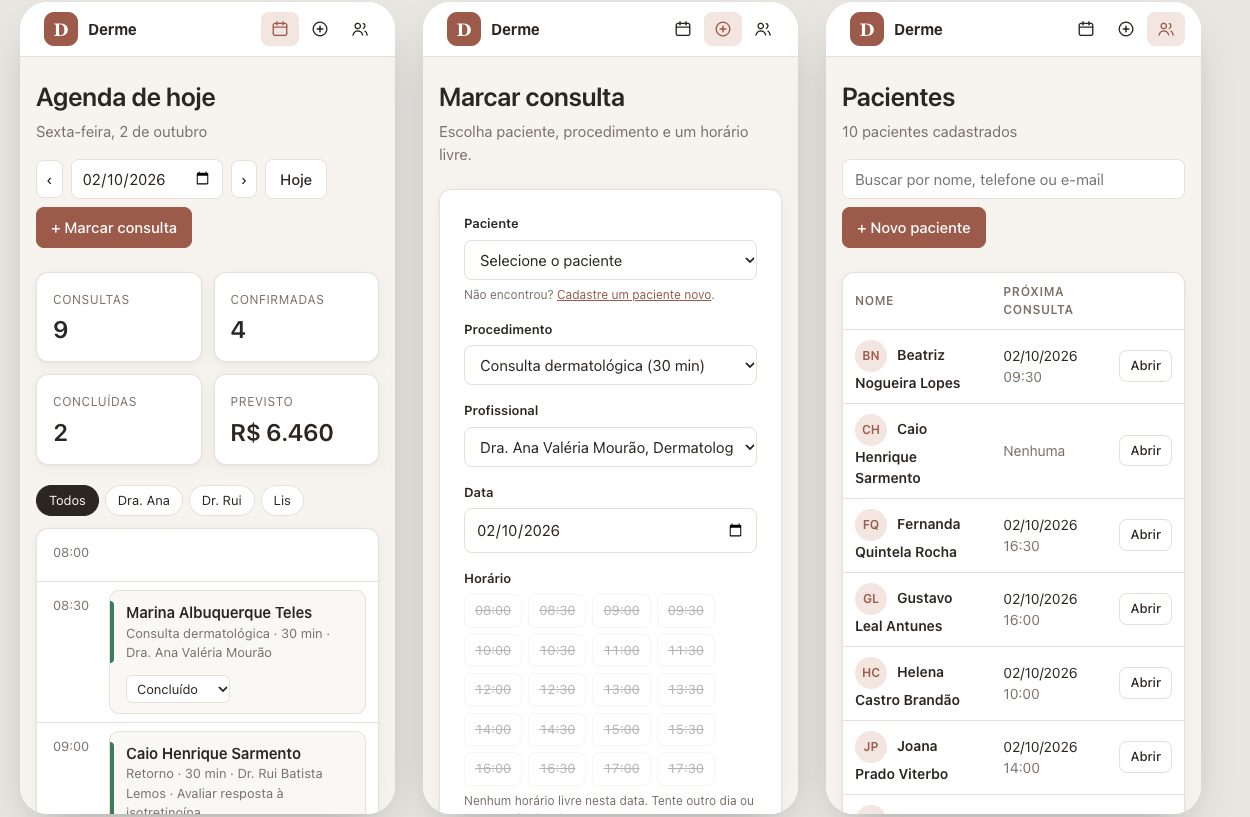
A system for a made-up dermatology clinic, with the same request both times.
Without the skill
With the skill
Fictional clinic, screens in Portuguese. The skill is an independent translation of Apple's Human Interface Guidelines, not affiliated with Apple.